
Dashboards
Real-time Mode
Stream live telemetry data to your dashboard widgets
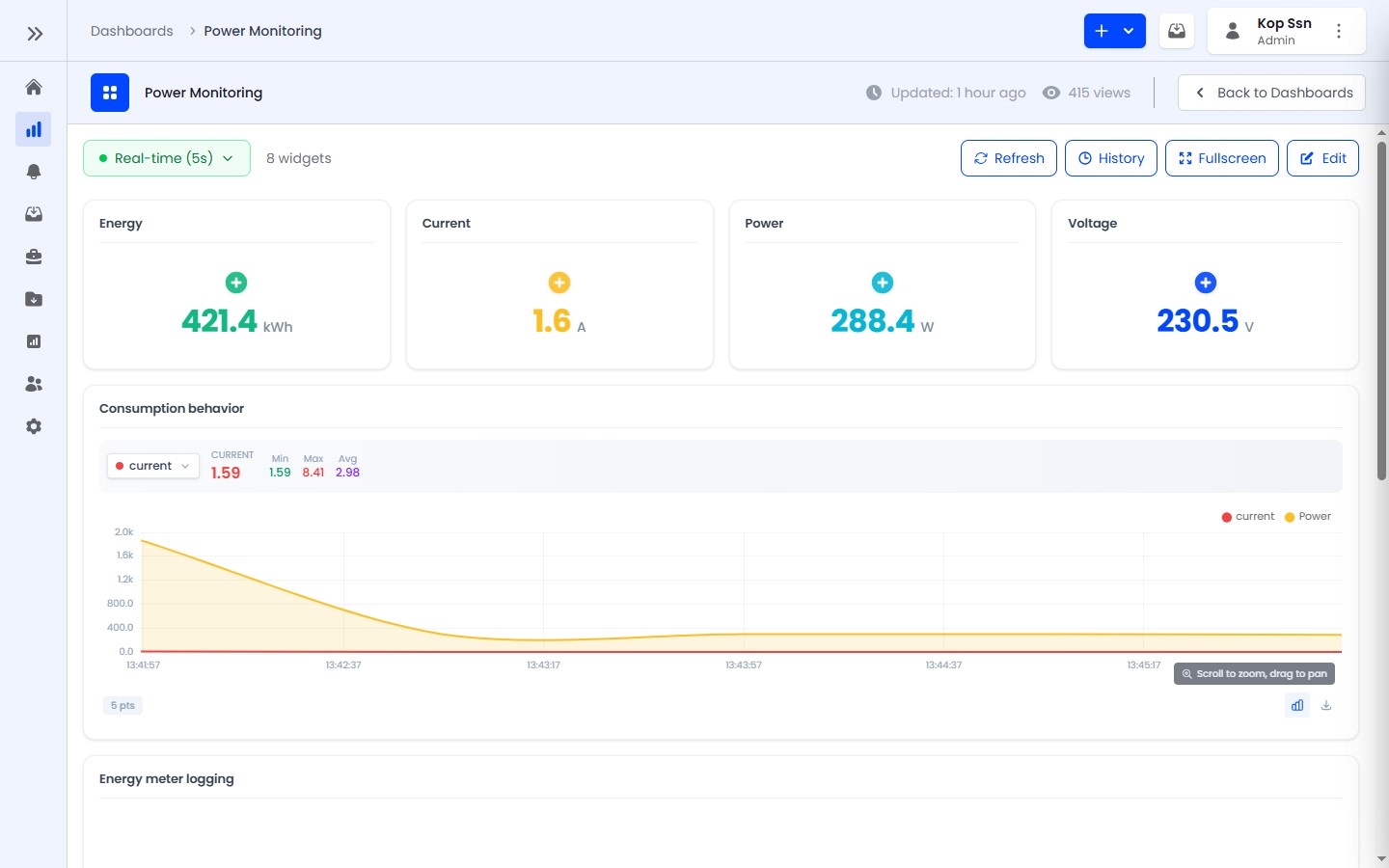
Real-time mode enables live data streaming to your dashboard widgets via WebSocket. When enabled, widgets update instantly as new telemetry data arrives from your devices.
Enabling Real-time Mode
Click the Real-time toggle in the dashboard action bar. When active:
- All widgets receive live data updates via WebSocket
- New data points appear on charts without manual refresh
- Value cards and gauges update instantly
- The time window selector is replaced with "Live" mode
How It Works
- When you enable real-time mode, the dashboard establishes a WebSocket connection
- The server streams telemetry events for all devices referenced by your widgets
- Each widget processes incoming data and updates its display
- The connection is maintained as long as the dashboard is open
Best Practices
- Use real-time mode for active monitoring - it increases server load compared to polling
- For historical analysis, disable real-time mode and use the time window selector
- Real-time mode works best with devices that send data at regular intervals
- If you have many widgets, consider splitting across multiple dashboards for better performance
Real-time mode automatically reconnects if the WebSocket connection drops. You may see a brief loading state during reconnection.