
Dashboards
CSV Export
Export telemetry data from dashboards as CSV files
The Timeseries Table widget supports exporting historical telemetry data as CSV files for offline analysis.
Exporting Data
- Add a Timeseries Table widget to your dashboard
- Configure it with the desired device, fields, and time range
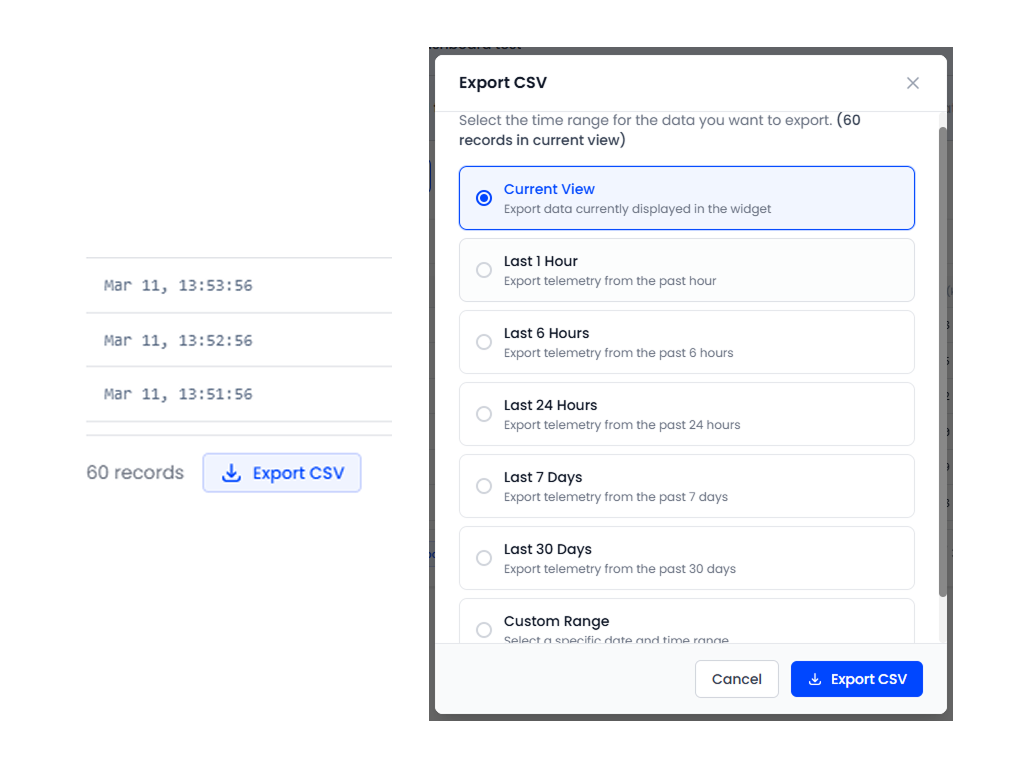
- Click the Export CSV button in the widget header
- The browser downloads a CSV file with all data points in the current view
CSV Format
The exported file includes:
- Timestamp: ISO 8601 format for each data point
- Field columns: One column per selected telemetry field
- Device identifier: If multiple devices are configured
Availability
CSV export is a feature controlled by your tenant profile. If the export button is not visible, your subscription plan may not include this feature. Contact your administrator to upgrade.
Use Cases
- Compliance reporting: Export data for regulatory submissions
- Offline analysis: Process data in Excel, Python, or other tools
- Data backup: Periodic manual exports of critical telemetry data
- Sharing: Send data to stakeholders who don't have platform access