
User Management
Managing Users
Create, edit, and manage user accounts in Sensorclouds
Tenant Admins manage users within their organization.
ADMIN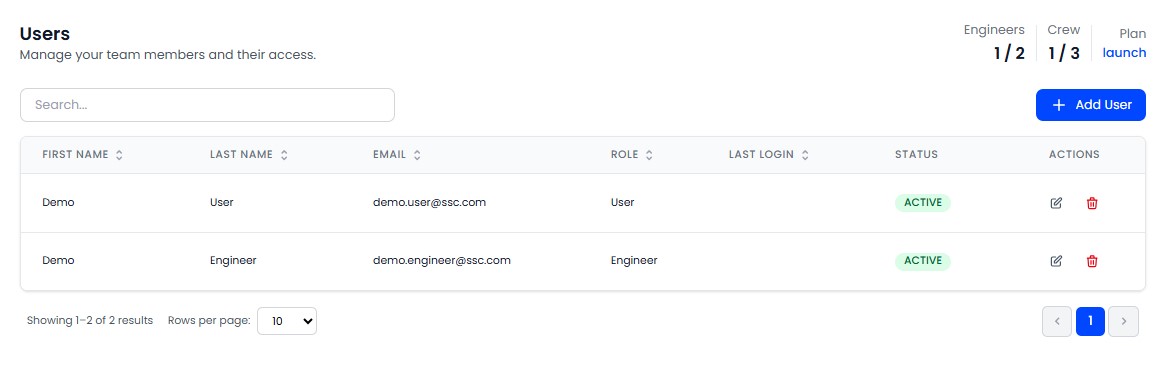
Creating a User
Navigate to Users from the sidebar.
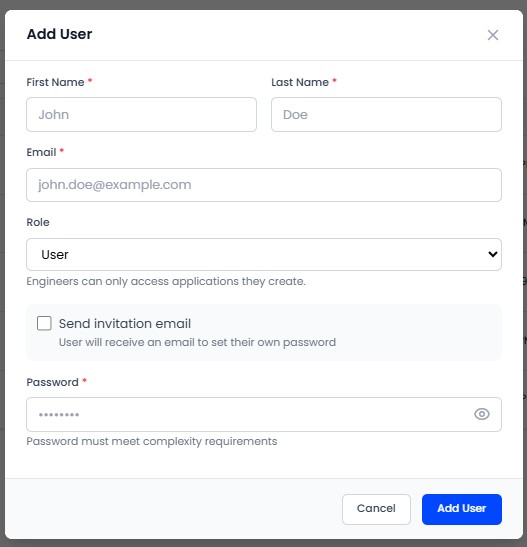
Click Add User.
Fill in: Email, Password, First Name, Last Name.
Select a Role:
- ENGINEER - Full operational access (no delete, no user management)
- USER (Crew) - Read-only dashboard access
Click Save.
The maximum number of users is defined by your Tenant Profile. Current usage is shown in stats (e.g., "5 / 20 users"). You cannot exceed the plan limit.
User Actions
| Action | Description |
|---|---|
| Activate / Deactivate | Toggle user access without deleting the account |
| Edit | Update user details (you cannot change your own role) |
| Delete | Soft delete - marks as deleted, data is preserved |
Security
- Passwords must meet complexity requirements (see Password Policies)
- The previous 5 passwords cannot be reused
- Accounts lock temporarily after repeated failed login attempts