Platform Roles
Tenant Admin
Full control within your organization - devices, dashboards, alarms, and users
ADMIN The Tenant Admin manages all resources within their organization (tenant).
Access
- URL:
/tenant-admin/ - Layout: Tenant Admin Layout with tenant-scoped navigation
Capabilities
- Full CRUD on Applications, Devices, Device Profiles, and Dashboards
- Manage tenant users - create Admin, Engineer, and User roles within your tenant
- Configure and manage Alarm rules and instances
- View and manage Notifications
- Upload firmware and manage OTA Campaigns
- Send Commands to devices
- Assign dashboards to crew users
- View all live telemetry data across your applications
Restrictions
Tenant Admins cannot access other tenants' data, manage platform-wide settings, or exceed subscription limits defined in the Tenant Profile.
Sidebar Navigation
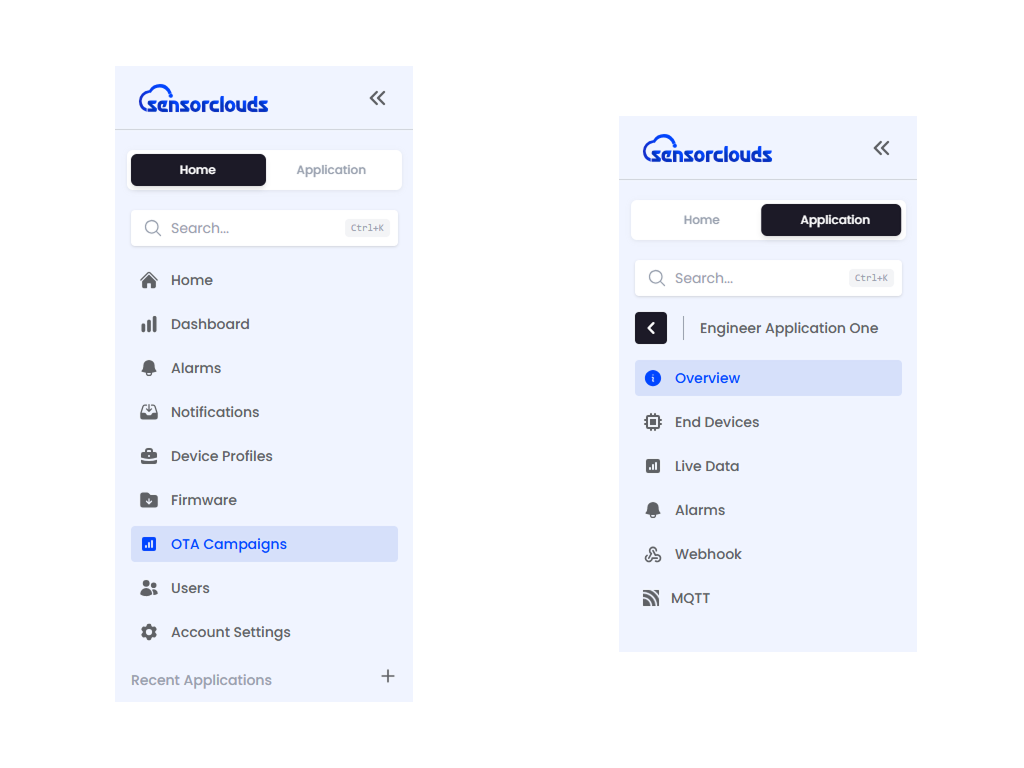
The sidebar operates in two modes:
Home Mode
Home, Dashboards, Alarms, Notifications, Users, Device Profiles, Applications, Firmware, OTA Campaigns, Profile
Application Mode
When you enter an application, the sidebar switches to: Overview, Devices, Live Data, Alarms, Webhook, MQTT Guide