
OTA Updates
Firmware Management
Upload, publish, and manage firmware binaries
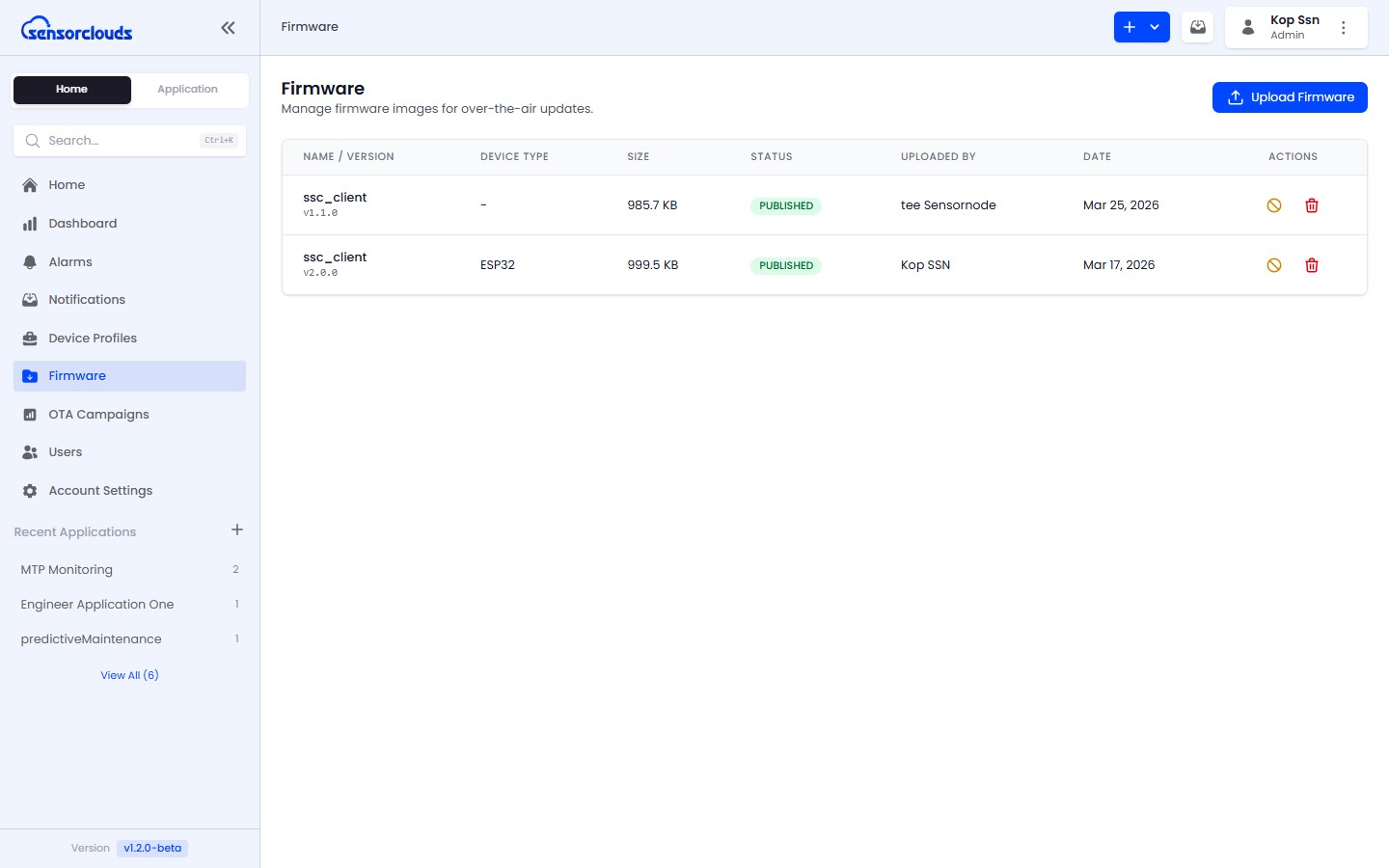
Uploading Firmware
Navigate to Firmware from the sidebar.
Click Upload Firmware.
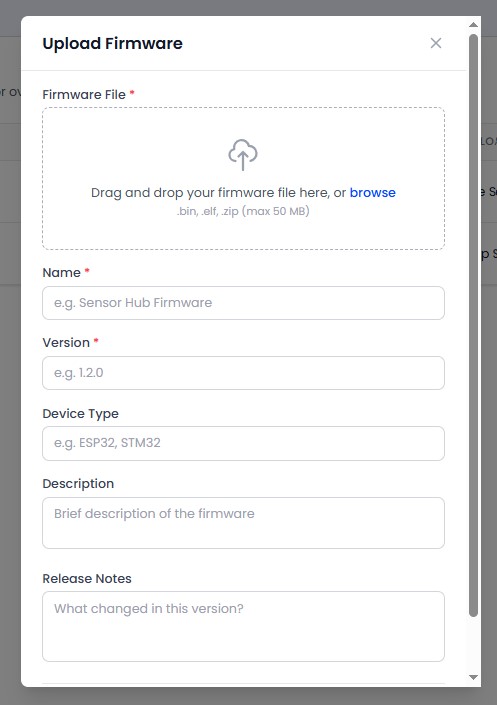
Fill in the details:
- Name: Firmware name (e.g., "Sensor v2.1")
- Version: Semantic version (e.g.,
2.1.0) - Device Type: Target device category
- Description: Release notes and changes
- File: Select a
.bin,.elf, or.zipfile (max 50 MB)
Click Upload. A SHA-256 checksum is computed automatically for integrity verification.
The platform auto-detects the version from the filename when possible. For example, a file named sensor-firmware-v2.1.0.bin will pre-fill the version field with 2.1.0.
Firmware Statuses
| Status | Description |
|---|---|
| DRAFT | Uploaded but not yet available for campaigns |
| PUBLISHED | Available for use in OTA campaigns |
| DEPRECATED | No longer recommended for use |
Actions
| Action | Description |
|---|---|
| Publish | Move from DRAFT to PUBLISHED - makes firmware available for campaigns |
| Deprecate | Move from PUBLISHED to DEPRECATED - removes from campaign selection |
| Delete | Remove the firmware file and record (Admin only) |
Automatic Maintenance
Draft firmware that has remained in the DRAFT status for more than 30 days is automatically cleaned up by the platform.
Storage Limits
Total firmware storage is capped per tenant profile. Each firmware binary is limited to 50 MB. Check your tenant profile for your storage allocation.