
Payload Decoder
Write JavaScript decoders to transform raw device data into structured JSON
The payload decoder transforms raw device data (bytes) into structured JSON that the platform can store and visualize.
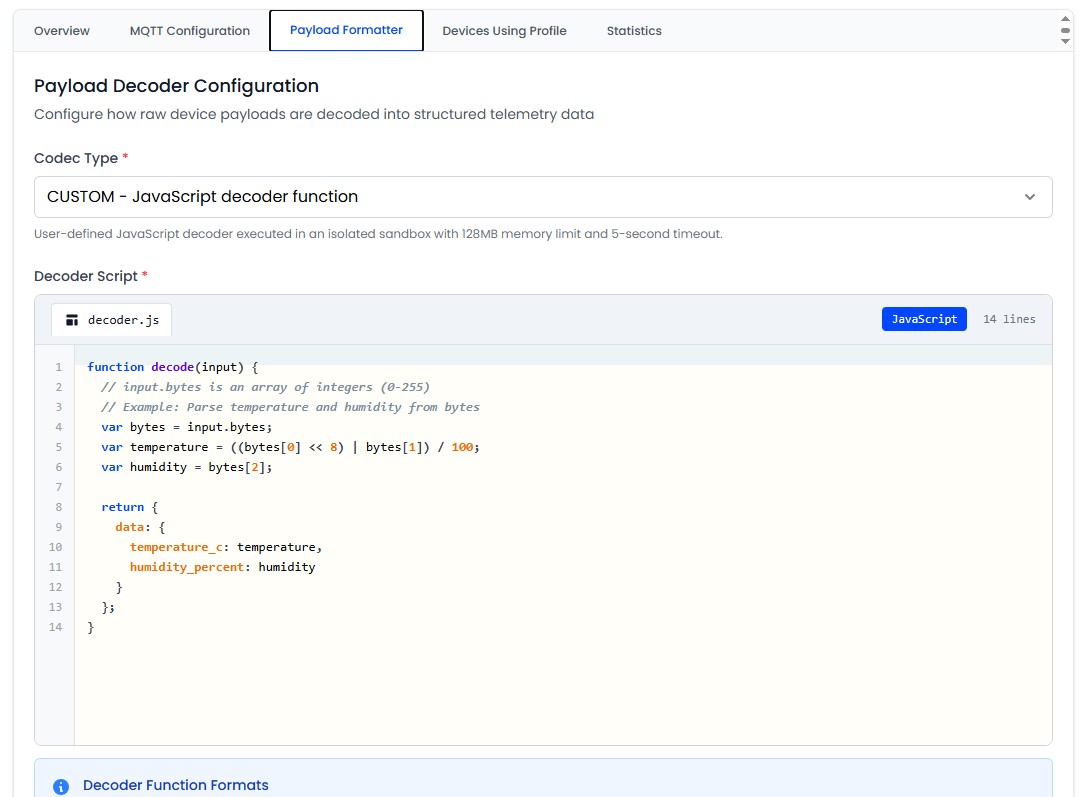
Codec Types
- NONE: Raw data passthrough - the platform expects valid JSON payloads
- CUSTOM: A JavaScript decoder script processes raw bytes into JSON
Writing a Custom Decoder
Three function signatures are supported. Choose the one that fits your needs.
function decodeUplink(input) {
  // input.bytes: Uint8Array of raw payload
  // input.fPort: LoRaWAN port number (if applicable)
  return {
    data: {
      temperature: (input.bytes[0] << 8 | input.bytes[1]) / 100,
      humidity: input.bytes[2]
    }
  };
}
function Decoder(bytes, port) {
return {
temperature: (bytes[0] << 8 | bytes[1]) / 100,
humidity: bytes[2]
};
}function decode(bytes, port) {
return {
temperature: (bytes[0] << 8 | bytes[1]) / 100
};
}Built-in Templates
The platform provides starter templates you can use and modify:
- Temperature & Humidity (TTN v3) - 3-byte sensor reading
- Temperature & Humidity (Legacy) - Legacy decoder format
- GPS Coordinates - 8-byte latitude/longitude
- Multi-Sensor - Temperature + humidity + battery level
- Bitwise Operations - Packed bitfield extraction
- Simple Decode - Minimal example
Testing Decoders
Use the built-in Test Decoder feature on the profile page:
- Write or paste your decoder function in the code editor
- Enter a sample hex payload in the test input (e.g.,
09D53C) - Click Test
- Verify the decoded output matches your expected values
Always test your decoder with multiple payloads before assigning the profile to production devices.
Hex Auto-Detection
If the MQTT payload is a pure hexadecimal ASCII string, the platform automatically converts it to bytes before passing it to the decoder.
Example: "48656C6C6F" → [0x48, 0x65, 0x6C, 0x6C, 0x6F]
Security Constraints
Decoder scripts run in an isolated V8 sandbox with strict limits:
| Constraint | Limit |
|---|---|
| Max script size | 40 KB |
| Execution timeout | 5 seconds |
| Memory limit | 128 MB |
| Filesystem access | None |
| Network access | None |
| Process access | None |
Decoders that exceed the timeout or memory limit are terminated. Keep your decoder logic simple and efficient.