
Notifications
Notification Center
View, filter, and manage all your platform notifications
The Notification Center is your central hub for viewing and managing all platform notifications.
Access: Navigate to Notifications from the sidebar, or click the bell icon and select View All.
Layout
The Notification Center uses a two-panel layout:
- Left panel - Filter sidebar with stats and filter options
- Right panel - Notification list sorted by most recent
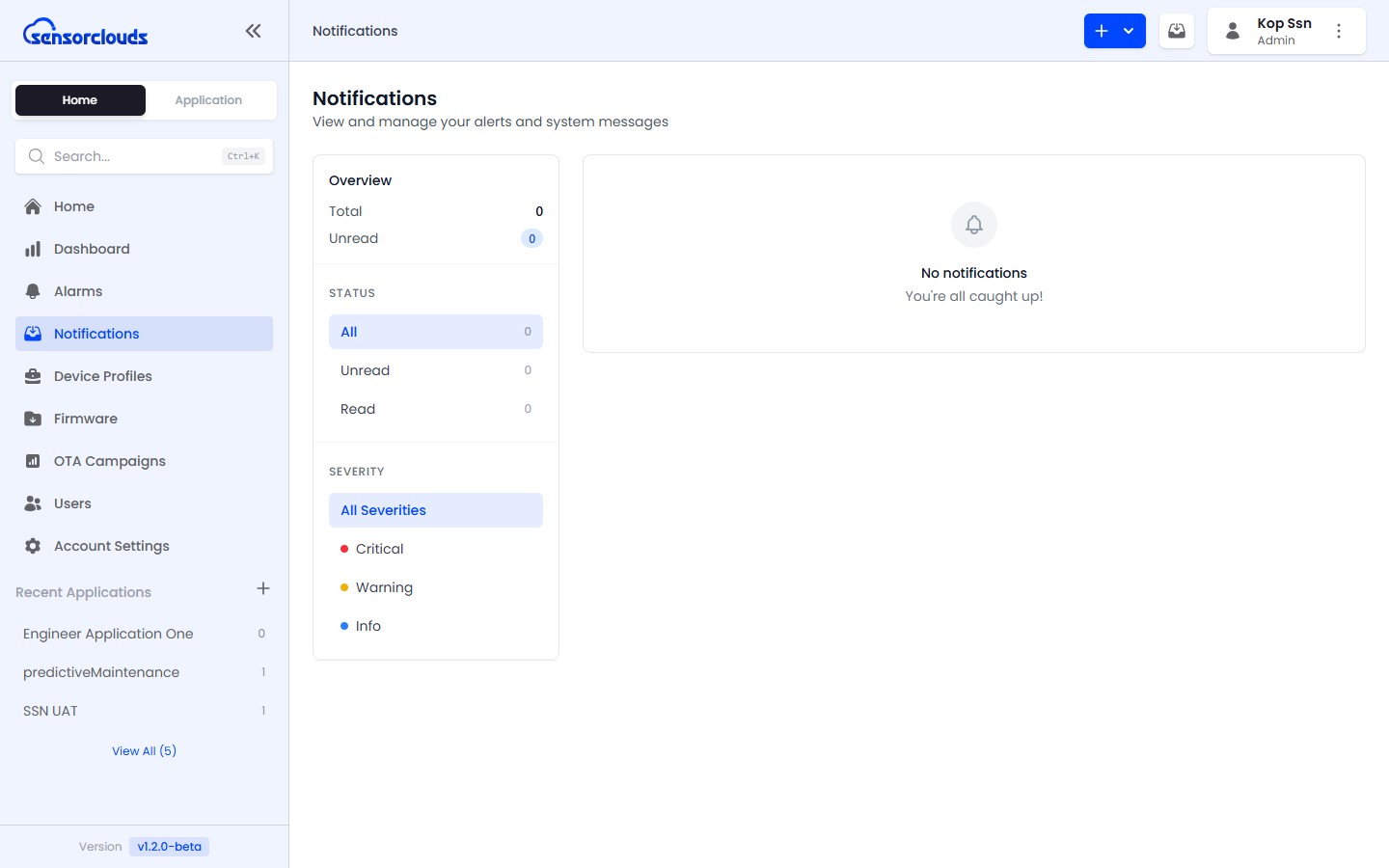
Stats Overview
At the top of the filter sidebar, you can see:
- Total notifications
- Unread count
- Critical count
Filtering
| Filter | Options |
|---|---|
| Status | All, Unread, Read |
| Severity | All, Critical, Warning, Info |
| Type | Dynamic list based on available notification types |
Actions
- Mark as read - Click individual notifications to mark them read
- Mark all as read - Bulk action to clear all unread notifications
- Delete - Remove individual notifications
- Bulk delete - Select multiple notifications with checkboxes and delete
Header Bell Icon
The bell icon in the top navigation bar provides quick access:
- Unread count badge - Updates in real-time as new notifications arrive
- Dropdown - Shows the most recent notifications
- Quick "Mark all read" - Clear the badge without opening the full center
- "View All" link - Navigate to the full Notification Center